How can you get receipts into Xero without typing them in?
Xero can read a photographed or emailed receipt for you. For a card or bank payment, Quenta goes one step further: it reads the receipt, posts the spend-money transaction and attaches the image, so there is nothing left to type.
Quenta6 min read
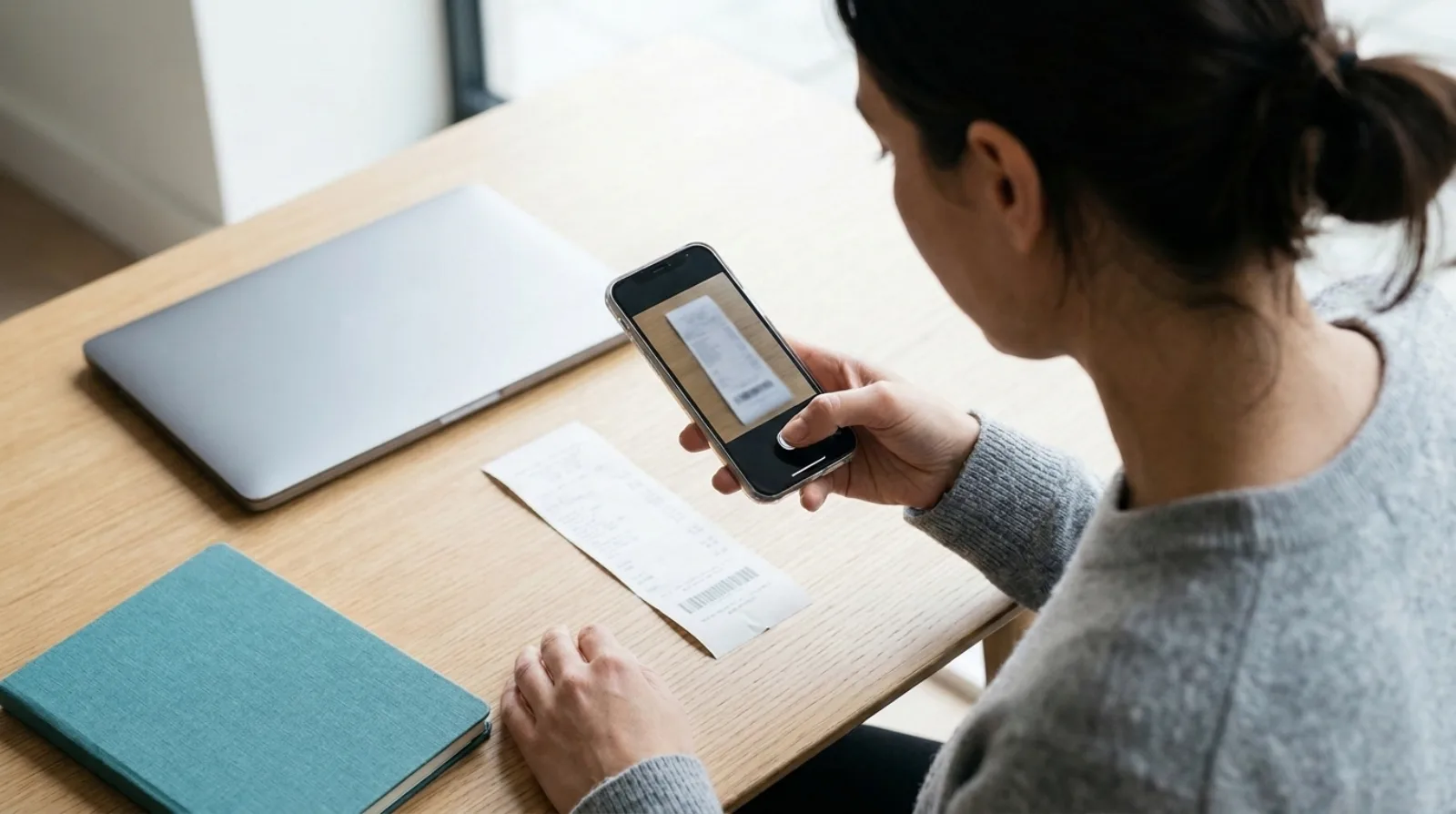
Short answer: you stop typing by letting software read the receipt. Xero does this itself: Xero's Files page, read on 3 November 2026, says you can forward a receipt to your Xero email or photograph a paper one in the Xero Accounting app, and Xero pulls out details such as the amount and date. Quenta covers the next step for card and bank payments. You photograph, upload or forward the receipt, and Quenta posts an authorised spend-money transaction in Xero with the original image attached.
This describes what the products publish about themselves. It is not accounting advice, and Xero changes its screens and plans, so check the linked pages before you rely on a detail.
What does "without typing" actually cover?
Typing a receipt into Xero means five fields: supplier, date, total, the account it belongs to, and the tax rate. After that comes the file. Without typing, the software fills those fields and you only answer when it cannot.
Two jobs get mixed up here. One is reading a document and offering the details. The other is turning the receipt into a finished transaction, with the account chosen and the image attached. Xero's Files page describes the first. Quenta is built for the second.
How does Xero read a receipt for you?
Xero reads a receipt you send to its email address, drag onto the web page, or photograph in the Xero Accounting app. According to Xero's Files page, it extracts details such as the amount and date, attaches the original photo or file to the digital record, and compares the document with your bank records so you can accept or reject a suggested match.
That is a real saving. What the page does not describe is Xero choosing the account for you or posting a spend-money transaction from the photograph. For staff who paid out of their own pocket, Xero's separate claim tool does a different job, covered in whether Xero has its own receipt scanner.
What does Quenta do that goes further?
Quenta takes the receipt all the way to a transaction. Its help guide to how Quenta works lists four steps:
- Quenta reads the merchant, date, total, currency, VAT details and a suggested category.
- It applies what it has learned. If you ticked Remember this choice for a category, later receipts use the same Xero account. Merchant rules can pin a merchant to a category.
- It either posts or asks. A receipt with a known destination and clear details posts automatically. Otherwise it waits in Review with the problem in plain words.
- It creates an authorised spend-money transaction in Xero, attaches the original image or PDF, and records an audit trail.
The first receipt in a new category may ask which account to use. After that, if you ticked Remember this choice, the same category does not ask again.
How do you get a receipt into Quenta?
There are three ways in, and all three end the same way. The scan a receipt guide covers the first two.
- Photograph it. Put one receipt on a flat, contrasting surface, keep all of it inside the corner guides, and make sure the total and date are sharp.
- Upload a file. Choose a photo, image or PDF from your phone, or select Add receipt on the web.
- Forward an email. Where Email receipts in appears in Settings, Quenta gives you forwarding addresses. Forward the email with the receipt image or PDF attached, as in the email receipts guide.
If you have no signal, the mobile apps save the capture and show Queued offline, then upload when the connection returns.
Will everything post without me touching it?
No. Quenta does not post every receipt without asking, and that is deliberate: it posts when it is confident and asks when it is not. A receipt goes to Review when a field is unclear, an account mapping is missing, a currency needs confirming, or a teammate needs an admin to choose the payment account. Foreign-currency receipts are posted without VAT and may ask for the amount your bank or card actually charged.
Itemised lines are posted as named Xero lines only when they add up to the final total to the penny. If they do not, Quenta falls back to the verified whole total rather than inventing a split.
Quenta does not reconcile for you. When the charge arrives on the bank feed, the transaction is already there to match, and you confirm the match in Xero. There is more on that order in stopping receipts piling up before reconciliation.
Which route suits which receipt?
Which route is easiest depends on the receipt: a paper till receipt for a card payment suits Quenta, while a staff claim or a copy-only filing suits Xero's own tools.
| Receipt | Easiest route |
|---|---|
| Paper till receipt for a card payment | Photograph it in Quenta |
| Emailed PDF receipt | Forward it to Quenta, or to your Xero email if you only want it filed |
| Staff member paid personally | Xero's claims tool |
| You only want a copy stored | Xero's Files inbox |
The Xero rows come from Xero's pages linked above. If the copy is all you need, attaching by hand is also fine: how to attach a receipt to a Xero transaction has the steps.
What does it cost?
Quenta's free plan covers 10 receipts a month per organisation. Quenta Pro is £6 per user a month, or £60 per user a year, tax included. Pro is fair-use capped at 350 receipts a month per workspace, so it is not unlimited. See the pricing page.
Quick answers
Can Xero read receipts without me typing? Yes. Xero's Files page says it extracts details such as amount and date from a forwarded or photographed receipt.
Does Quenta need me to type anything? Not for a clear receipt. The first receipt in a new category may ask for a Xero account, and anything unclear waits in Review.
Is the image kept? Yes. The original image or PDF is attached to the Xero transaction.
Does Quenta work with anything besides Xero? No. It connects to Xero only.
Is Quenta made by Xero? No. It is an independent app that connects to Xero.
To see the whole route from photograph to posted transaction, read receipt scanning for Xero. Try it today.
Quenta is an independent app from We UC Ltd. Xero is a trademark of Xero Limited. Quenta is not affiliated with or endorsed by Xero.
Photograph it and forget it.